


Modern biofeedback sensors make it easy to practice relaxation training at home. Mobile devices like the eSense sensors measure physiological signals in real time and support you in learning relaxation techniques. Discover how to integrate biofeedback training into your daily routine and which sensors are best for getting started.
What Is Biofeedback?
Biofeedback is a training method that measures your body’s physiological responses and feeds them back to you in real time. The goal is straightforward: by seeing what your body is doing — heart rate, muscle tension, skin temperature, breathing patterns — you can learn to influence these processes consciously. The word itself combines “bio” (from the Greek for life) with “feedback” (the signal you receive back).
In practice, it works like this: sensors placed on your body pick up specific physiological signals. These signals are sent to a display — usually a smartphone app — where you can watch them change as you try different relaxation techniques. When you find something that works, you see the results immediately.
One of the key advantages of biofeedback is that it is completely non-invasive. No medication, no side effects. Research suggests it may be helpful for stress reduction, supporting pain management, and improving focus. It is particularly well-studied in the context of chronic tension, headaches, and anxiety-related conditions.
Thanks to advances in sensor technology and mobile apps, biofeedback at home is now a practical reality. You no longer need expensive clinical equipment to get started. Portable sensors and intuitive apps make it possible to run effective biofeedback training sessions on your own, on your own schedule.
| Physiological Parameter | What It Measures |
|---|---|
| Heart rate (HRV) | Pulse rate and heart rate variability |
| Muscle tension (EMG) | Electrical activity in muscles |
| Skin temperature | Peripheral temperature changes linked to relaxation |
How to Practice Biofeedback at Home
Getting started with biofeedback at home is simpler than most people expect. You need a biofeedback sensor that measures a physiological parameter — skin conductance, heart rate, breathing, or temperature — and a smartphone or tablet running the companion app. The sensor feeds data to the app in real time, and you watch your body’s responses as you practice different techniques.
The real power of home biofeedback training lies in the feedback loop. You try a breathing exercise, and your skin conductance drops — you can see it happening on screen. You tense up thinking about a stressful situation, and the numbers climb. This direct, visible connection between your mental state and your body’s response is what makes biofeedback such an effective learning tool.
Portable devices like the Mindfield eSense sensors are particularly popular for home use because they are simple to set up and deliver reliable, detailed data. With regular practice — even just 10 to 15 minutes a few times a week — many users find they develop a much stronger awareness of their stress patterns and a better ability to manage them.
“With biofeedback, you can learn to recognize stress reactions as they happen and consciously shift your body’s response. Over time, this awareness extends beyond the training session into everyday life.”
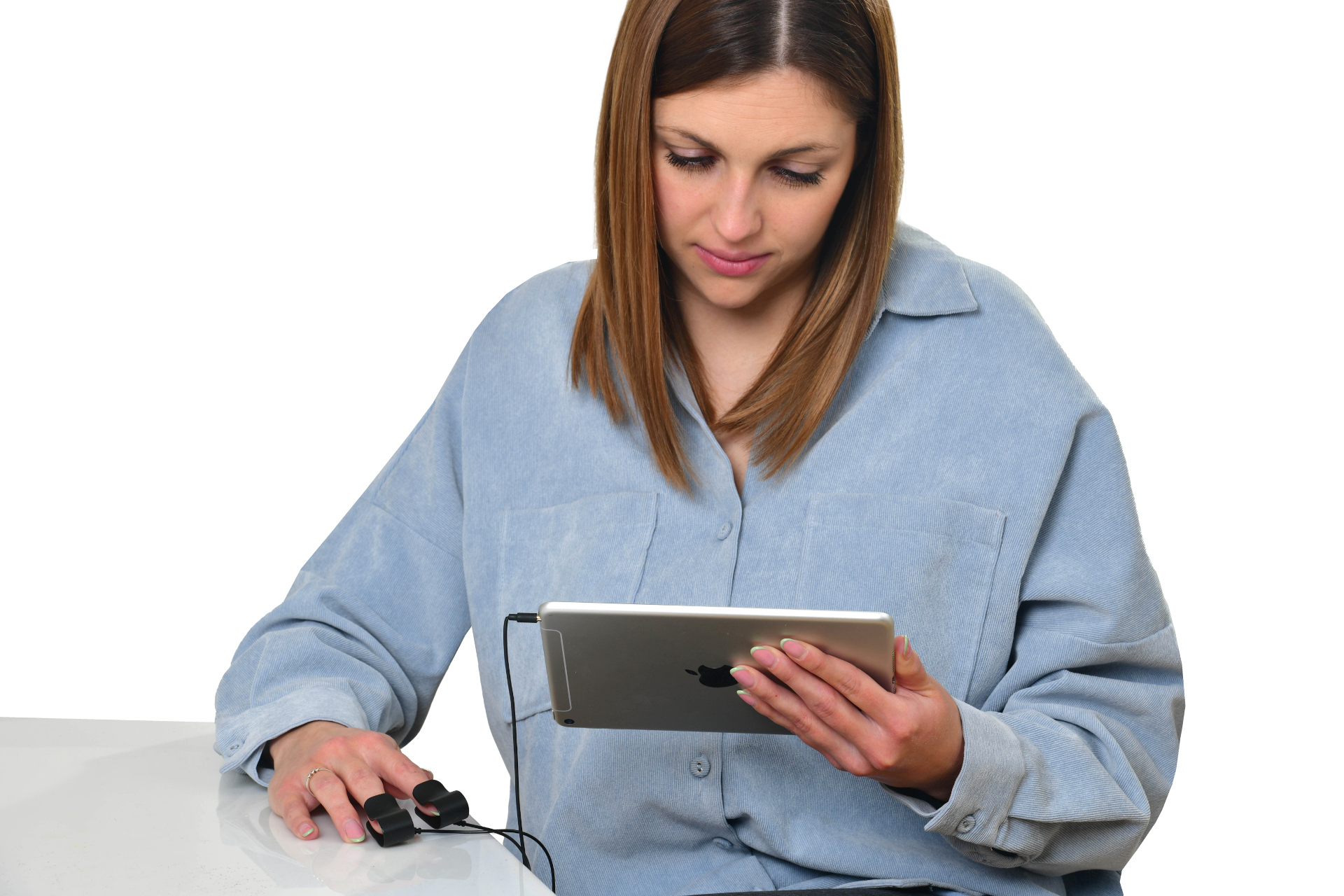
How to Use the Mindfield eSense Sensor with the eSense App
The Mindfield eSense sensors combined with the eSense App provide one of the most straightforward ways to practice biofeedback at home. The sensor handles the measurement, and the app handles everything else — real-time display, guided exercises, and long-term tracking. Together, they give you a complete biofeedback training system that fits in your pocket.
We offer sensors for every major biofeedback parameter: the eSense Skin Response for skin conductance, the eSense Temperature for skin temperature, the eSense Pulse for heart rate and HRV, the eSense Respiration for breathing, and the eSense Muscle for muscle activity (EMG).
Here is how to get started:
Step 1: Install the app. Download the eSense App from the App Store or Google Play Store and install it on your smartphone or tablet.
Step 2: Attach the sensor. Place the eSense sensor on the appropriate body location following the included instructions. Positioning depends on which parameter you are measuring.
Step 3: Connect via Bluetooth. Make sure Bluetooth is enabled on your device, then pair the sensor through the app. Connection takes just a few seconds.
Step 4: Start your first session. Open the app, follow the on-screen calibration, and begin your first measurement. The app shows your data as a live graph.
Step 5: Train with guided exercises. Use the built-in training programs and guided exercises. The app provides real-time audio and visual feedback, helping you learn which techniques produce the best physiological response.
Step 6: Track your progress. Review your session history in the app. Over days and weeks, you will see trends that show how your ability to regulate your physiological responses is improving.
The combination of precise sensor data and the intuitive eSense App interface makes it easy to build a consistent biofeedback training habit. With regular practice, users often notice improvements in stress resilience, mental clarity, and overall relaxation.
| Step | Description |
|---|---|
| Step 1 | Download and install the eSense App |
| Step 2 | Attach the sensor to the body |
| Step 3 | Connect the sensor via Bluetooth |
| Step 4 | Calibrate and start your first measurement |
| Step 5 | Use guided exercises and training programs |
| Step 6 | Review your progress and trends |
What Results Can You Expect from Biofeedback Training?
Biofeedback at home is a skill-building process, not an instant fix. During your first sessions, you are mainly getting to know your own body signals: How does your skin conductance react to different thoughts? How does your breathing change when you feel tense? The eSense App displays these relationships as real-time curves and trend charts, making the invisible visible.
After two to three weeks of regular biofeedback training, many users report noticing their stress reactions more quickly — not just during practice sessions, but in everyday life. This carry-over effect is one of the most important goals of biofeedback: the self-regulation skills you develop during training start showing up in real-world situations.
Patience and consistency are key. Like physical exercise, short and frequent sessions of 10 to 15 minutes tend to be more effective than occasional long ones. The eSense App supports this process with training histories and trend visualizations that make your progress visible over weeks.
Tips for Getting Started with Biofeedback at Home
Choose a quiet space: When you are just beginning, it helps to train in a calm environment without distractions. As you gain experience, you can gradually introduce more challenging settings.
Build a routine: Schedule your biofeedback training as a regular part of your day — perhaps in the morning after waking up or in the evening before bed. Regularity matters more than session length.
Experiment with techniques: Try different relaxation approaches during your sessions — deep breathing, progressive muscle relaxation, guided visualizations. Your biofeedback data will show you which technique produces the strongest physiological response for you personally.
Keep a journal: After each session, jot down a few notes about how you felt and what you practiced. The eSense App saves all your measurement data automatically, but personal observations add valuable context.
Frequently Asked Questions
What biofeedback sensors are best for beginners?
The eSense Skin Response (skin conductance) and eSense Temperature are ideal starting points. Both parameters respond clearly to changes in relaxation and tension, giving you immediately visible feedback that helps you learn relaxation techniques from day one.
How often should I practice biofeedback at home?
Experts recommend 2 to 3 sessions per week of 15 to 20 minutes each for noticeable progress. Consistency is more important than duration. Many users integrate short 5-minute check-ins into their daily routine — in the morning or after work — alongside their longer training sessions.
Do I need a therapist for home biofeedback training?
For basic relaxation and stress management training, no therapist is needed — the eSense App provides guided exercises suitable for beginners. For more specific applications, an initial consultation with an experienced biofeedback practitioner can help you tailor your training plan for optimal results.
Recommended Products for Your Training
- eSense Skin Response – Skin conductance sensor (GSR/EDA) for biofeedback training
- eSense Temperature – Skin temperature sensor for relaxation training